Switching to freedom mobile prepaid plans can involve a few changes to network settings, SIM activation, account status, and calling features. If a phone suddenly stops making calls after the switch, identifying the cause step by step can help restore normal service without unnecessary delays. The issue may relate to the SIM card, network registration, account activation, device settings, or the availability of cellular coverage.
Understanding what to check first makes troubleshooting easier, whether the phone is newly activated, recently transferred from another provider, or using an existing device with a new prepaid plan.
1. Check the Prepaid Plan and Account Activation
The first step is to confirm that the new prepaid plan is active. After switching to freedom mobile prepaid plans, the account and selected services may require activation or provisioning before calling works as expected.
Sign in to the Freedom Mobile account or check the provider’s account notifications to review the plan status. Confirm that the prepaid service is active, the required payment has been processed, and the plan includes outgoing voice calls.
If the number was recently transferred from another provider, check whether the transfer has completed. Number transfers can involve additional processing, and calling services may take time to become fully available.
If the account appears active but outgoing calls still fail, contacting Freedom Mobile support can help verify whether voice services have been provisioned correctly.
2. Check the SIM Card or eSIM Configuration
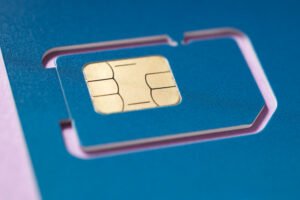
The SIM card connects the phone to the mobile network and identifies the subscriber account. If the SIM is incorrectly seated, damaged, or associated with an incomplete activation, outgoing calls may be affected.
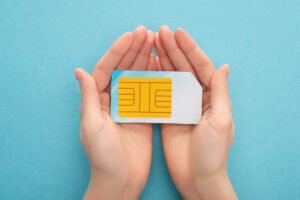
For a physical SIM, turn off the phone before removing it. Check that the card is positioned correctly, then reinsert it and restart the device.
For an eSIM, open the phone’s cellular or mobile network settings and confirm that the Freedom Mobile line is enabled. If the device has multiple SIMs, verify that the correct line is selected for outgoing calls.
Avoid deleting an eSIM profile as an initial troubleshooting step. Reinstallation may require a new activation process or assistance from the carrier. If the SIM or eSIM appears active but the phone still cannot make calls, ask the provider to check its activation status.
3. Confirm Cellular Signal and Network Selection
Poor reception can interrupt outgoing calls, even when the phone displays some signal strength. Buildings, underground areas, elevators, and remote locations may affect cellular connectivity.
Move to an open area or a different location and try again. Check whether the phone displays the Freedom Mobile network name and a stable signal.
Automatic network selection is generally a suitable starting point. On an iPhone, review Settings under Cellular or Mobile Service. On an Android device, open Settings and look for Network & Internet, Connections, or Mobile Networks, depending on the model.
Confirm that the correct SIM is enabled and that network selection is set appropriately. If the problem occurs in several locations, review Freedom Mobile’s coverage information or contact support to check for local network issues.
4. Review VoLTE and Network Compatibility
Modern mobile networks rely on compatible voice technology for calling. Voice over LTE, commonly called VoLTE, allows supported phones to make voice calls over a 4G LTE network.
After changing to freedom mobile prepaid plans, check that the device supports the carrier’s required network technologies and that the phone’s software and carrier settings are up to date.
On supported devices, VoLTE settings may appear under Mobile Networks, Voice & Data, or similar menus. The exact location depends on the phone model and operating system.
If calls fail while mobile data works, voice-service provisioning or device compatibility may deserve particular attention. Confirm that the handset is compatible with Freedom Mobile’s current requirements and that the relevant voice features are enabled where applicable.
5. Restart the Phone and Refresh the Network Connection
A simple restart is one of the most useful early troubleshooting steps. It refreshes the phone’s connection to the mobile network and allows the device to register again with the available cellular service.
Turn the phone off, wait approximately 30 seconds, and turn it back on. Allow a minute or two for the network signal and carrier information to appear.
Another option is to enable Airplane Mode for around 15 to 30 seconds and then disable it. This refreshes the wireless connection without requiring a full restart.
After reconnecting, try calling a familiar number. If calls work again, the problem may have been a temporary network registration issue.
6. Check Call Settings and Restrictions
Some calling problems result from settings rather than the mobile network. Review the phone’s call settings, especially if the issue started immediately after changing SIM cards or adjusting network preferences.
Check whether call barring, fixed dialling numbers, or other restrictions are enabled. If the phone uses dual SIMs, confirm that the correct line is selected when placing a call.
If only certain numbers are affected, try calling another local number to determine whether the issue is specific to one destination. If all outgoing calls fail, record the error message or announcement heard during the attempt. This information can help identify whether the problem relates to account status, network access, or call routing.
7. Update Software and Reset Network Settings if Needed
Installing available operating system and carrier settings updates can improve network compatibility. Check for updates using the phone’s standard settings menu and restart the device after installation.
If the issue continues, resetting network settings may help resolve incorrect cellular configuration. This action typically clears saved Wi-Fi networks, Bluetooth connections, and certain network preferences, so review the device’s instructions before proceeding.
A factory reset should not be an early troubleshooting measure. Start with account verification, connection refreshes, SIM checks, and software updates before considering more extensive changes.
8. Know When to Contact Freedom Mobile Support
If the phone still cannot make calls after these checks, contact Freedom Mobile support and explain when the issue began. Provide the device model, whether the service uses a physical SIM or eSIM, the type of error message, and whether incoming calls, text messages, and mobile data work.
Ask the support team to verify account activation, outgoing voice provisioning, number transfer status, network restrictions, and device compatibility. These details help narrow down the cause and determine the next appropriate step.
When troubleshooting freedom mobile prepaid plans, checking the account and SIM activation first, followed by network connectivity and voice compatibility, offers a practical sequence for identifying the problem.
About Max Mobile and Gifts
Max Mobile and Gifts provides professional cell phone repair and iPhone repair services in Vancouver, Canada. The business also offers fob copying, key cutting, passport and PR photo services, mobile accessories, photocopying and printing, watch battery replacement, luggage, hip hop jewellery, perfume, and cologne. These services support customers with a variety of everyday mobile device, personal accessory, and convenience needs.
Conclusion
When a phone stops making calls after switching to freedom mobile prepaid plans, begin by checking account activation, refreshing the network connection, and verifying the SIM or eSIM configuration. Next, review cellular coverage, voice compatibility, and call settings before moving on to software updates or network resets. If the problem remains, Freedom Mobile support can investigate account provisioning and network-related causes. Following a clear troubleshooting sequence helps users identify the likely issue and take the appropriate steps toward restoring reliable calling.