Switching to a new mobile plan can be a practical way to manage monthly phone expenses while continuing to use a familiar device. For Canadians considering Lucky phone plans, checking phone compatibility, network access, SIM requirements, data allowances, and device condition can help make the transition smoother.
Lucky Mobile offers prepaid wireless services in Canada, with plan options and features that may change over time. Before choosing a plan, it is helpful to understand how an existing phone works with the service and which details deserve attention before activation.
1. Check Whether Your Phone Is Compatible
The first step is to confirm that the phone supports Lucky Mobile’s network requirements. Compatibility depends on the device model, supported network technologies, frequency bands, and the service features available for that device.
Most modern smartphones support several Canadian mobile network bands, although capabilities vary by model and region. A phone purchased overseas or an older device may require additional checking before activation.
Find the exact model number in the phone settings or on the manufacturer’s documentation. Then consult Lucky Mobile’s official compatibility and support information to determine whether the device is suitable.
Checking the precise model is more reliable than relying on the phone’s brand alone, as different versions of the same model may have different network capabilities.
2. Confirm That the Phone Is Unlocked
A phone purchased through a carrier, retailer, or previous service provider may have specific network or account restrictions. Canadian wireless devices sold by service providers have generally been required to be provided unlocked since December 2017, but older devices or phones purchased elsewhere may need individual verification.
Check the device settings, original purchase information, or contact the previous provider if the unlocking status is uncertain.
An unlocked phone gives users more flexibility when choosing a compatible mobile service. Confirming this before purchasing a SIM card or activating a plan helps avoid unnecessary delays.
3. Choose the Right SIM Card or eSIM Option
Lucky Mobile may offer physical SIM cards and eSIM options for supported devices and plans. Availability and eligibility should be verified through the provider’s current information.
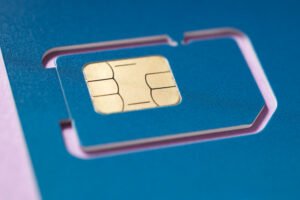
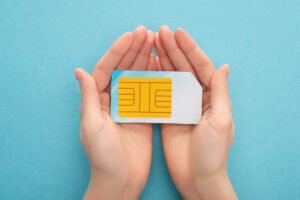
A physical SIM is a removable card installed in the phone’s SIM tray. An eSIM is a digital SIM profile that can be downloaded to a compatible device.
Before choosing between them, check whether the phone supports eSIM, whether the selected plan permits the required activation method, and whether the device has an available SIM slot.
If the phone uses a physical SIM, inspect the SIM tray for damage and confirm the correct SIM size. For eSIM activation, ensure the device is compatible and connected to a suitable internet connection during setup.
4. Compare Lucky Phone Plans With Your Actual Usage
Selecting a plan involves more than looking at the advertised monthly price. Consider how much data, calling, and texting the phone typically uses.
For example, someone who regularly streams videos, uses navigation, or participates in video calls may need more data than a person who mainly sends messages and connects through Wi-Fi.
When comparing Lucky phone plans, check:
- Monthly plan price and any applicable taxes.
- Included mobile data and the policy after the allowance is used.
- Calling and texting coverage within Canada.
- International calling options, if required.
- Hotspot or tethering availability.
- Automatic payment conditions and other plan terms.
- Any promotional eligibility requirements.
Plan features and prices can change, so review the latest details on the official Lucky Mobile website before making a decision.
5. Review Network Coverage Where You Live and Work
A compatible phone and suitable plan are most useful when coverage meets everyday needs. Network performance can vary by location, building structure, terrain, device capabilities, and network conditions.
Check coverage around home, work, school, and the places visited regularly. If travelling frequently, review coverage in the relevant destinations as well.
Indoor reception can differ from outdoor performance, particularly in basements, large buildings, and areas with dense construction. Asking people in the local area about their experience may provide additional practical context.
Reviewing coverage before switching helps set realistic expectations for calls, messages, and mobile data.
6. Check Your Phone’s Battery and Overall Condition
A phone’s physical condition affects how comfortably it can be used with a new mobile plan. Battery health, charging performance, microphone quality, speaker function, and screen condition are worth checking before activation.
An ageing battery may drain quickly during mobile data use, navigation, or extended calls. A damaged charging port or malfunctioning SIM tray may also interrupt normal use.
Before switching, test the phone by making a call, sending a message, browsing the internet, and charging the device. Check whether the SIM is detected consistently and whether the phone restarts unexpectedly.
If the device has a persistent hardware issue, a professional assessment may help determine whether repair is appropriate before committing to a new service.
7. Back Up Your Data Before Making Changes
Changing mobile plans usually does not require replacing the phone or deleting its contents. However, preparing a backup is a sensible precaution before making changes to device settings or moving a SIM.
Back up important contacts, photographs, messages, and files through the phone’s built-in backup service or another trusted method. Confirm that account passwords and recovery methods are accessible.
Also check whether contacts are stored on the phone, a cloud account, or the SIM card. This can help prevent confusion if the device or SIM is changed during setup.
Keeping the phone’s software updated and knowing the device passcode can also make activation and troubleshooting easier.
8. Know What to Do if the Phone Does Not Connect
After activating a Lucky Mobile plan, allow time for the service to register and follow the provider’s setup instructions. If calls or mobile data are unavailable, start with basic checks.
Restart the phone, confirm that the SIM is inserted correctly or the eSIM is active, and verify that mobile data is enabled. Check the device’s network settings and any activation messages from the provider.
If the issue continues, consult Lucky Mobile support for device-specific guidance. Problems may relate to activation, network coverage, settings, compatibility, or the phone’s hardware, so checking each possibility systematically can help identify the cause.
About Max Mobile and Gifts
Max Mobile and Gifts is a Vancouver, Canada, business providing professional phone and iPhone repair services alongside a range of everyday products and services. Its offerings include cell phone repair, fob copying, key cutting, passport and PR photo services, mobile accessories, photocopying and printing, watch battery replacement, luggage, hip hop jewellery, perfume, and cologne. Its phone repair services are relevant to people who want to assess an existing device before switching mobile plans.
Conclusion
Before switching to Lucky phone plans with a phone already owned, check device compatibility, unlocking status, SIM requirements, network coverage, plan allowances, and battery condition. Reviewing these details helps users make an informed choice and prepare for activation with greater confidence. Current plan terms and device requirements should always be confirmed through Lucky Mobile’s official resources before making a final decision.